Deep Agents CLI: The open source terminal coding agent
In the previous post in this series I explored the LangChain Deep Agents SDK — the library that lets you build autonomous agents capable of multi-step reasoning and tool use. Now let’s go one level higher: meet the Deep Agents CLI, an open source terminal coding assistant that puts that same power directly in your shell — no GUI required, and no proprietary lock-in.
Think of it as the open source answer to Claude Code: a conversational, project-aware agent that lives in your terminal and helps you write, refactor, test, and understand code — all while remembering what it learned last time.
Origins
The Deep Agents CLI was born out of LangChain’s mission to make capable AI agents accessible and composable. It builds directly on the Deep Agents SDK, which provides the foundation for long-running, memory-enabled agents.
The timing is no coincidence. Tools like Anthropic’s Claude Code and GitHub Copilot Workspace have shown that developers are ready to delegate meaningful coding tasks to AI — but most of those tools are proprietary and tightly coupled to a single model provider. LangChain’s answer is a fully open source CLI that:
- Works with any LLM provider supported by LangChain (OpenAI, Anthropic, Mistral, local models via Ollama, etc.)
- Can be extended and customised through skills and plugins
- Keeps all memory and context local by default — no cloud sync required unless you opt in
The project is part of the broader LangChain open source ecosystem and sits alongside LangGraph (for agent orchestration) and LangSmith (for observability).
Key features
Persistent memory
One of the biggest pain points with most AI coding assistants is that each session starts from scratch. You re-explain your project structure, your naming conventions, your preferred patterns — every single time.
Deep Agents CLI solves this with a persistent memory layer. After each session, the agent writes a structured summary of what it learned — the tech stack, the folder layout, the conventions it observed. On the next run it loads that context automatically.
# Memory is stored per project in a local .deep-agents/ directory
ls .deep-agents/
# memory.json  skills/  sessions/
Context maintained across sessions
Beyond general project memory, the CLI tracks session history: which files were changed, which tasks were completed, and what questions were left open. When you resume a task after a break, you can ask the agent to pick up where you left off:
deep-agents chat "continue where we stopped yesterday"
The agent reads the last session log and reconstructs its working context before responding.
Project convention learning
On first run — or when you type deep-agents init — the agent performs a project scan. It reads key files (README, package.json, pyproject.toml, Makefile, etc.) and infers:
- The primary language and framework
- The test runner and how to invoke it
- The code style in use (detected from linter configs)
- Folder conventions (
src/,lib/,tests/, etc.)
This context is stored in memory and used to make suggestions that are consistent with how your project is structured — not a generic template.
Customizable skills
Skills are the CLI’s extension mechanism. A skill is a short Markdown file that gives the agent domain-specific instructions:
# skills/docker.md
When asked to containerise an application:
1. Create a minimal Dockerfile using a slim base image.
2. Add a .dockerignore to exclude node_modules, .git, and build artefacts.
3. Validate the image builds with `docker build -t test .` before presenting it.
Place skill files in .deep-agents/skills/ and the agent picks them up automatically. You can also share skills across projects by pointing the CLI at a shared directory.
💡 Tip: Skills are a great way to encode team conventions — like how your organisation manages secrets, or which logging library to use — so every developer on the team gets the same guidance.
Code execution with approval controls
The CLI can run shell commands — but not without your permission. Every command goes through an approval gate:
Agent wants to run:
  pytest tests/ -x --tb=short

[A]pprove  [S]kip  [E]xplain  [C]ancel  >
Choosing Explain asks the agent to describe why it wants to run the command before you decide. You can also configure an auto-approve allowlist for safe commands (git status, cat, ls, etc.) so you’re not prompted for read-only operations.
Quick start
Installation
Deep Agents CLI requires Python 3.11 or later.
pip install deep-agents-cli
Set your LLM provider credentials. The CLI reads standard environment variables:
# For OpenAI
export OPENAI_API_KEY="sk-..."

# For Anthropic
export ANTHROPIC_API_KEY="sk-ant-..."

# For a local model via Ollama (no API key needed)
export DEEP_AGENTS_MODEL="ollama/mistral"
Initialise a project
Navigate to your project root and run the init command. The agent will scan the project and build its initial memory:
cd my-project
deep-agents init
Scanning project...
  ✔ Detected: Python 3.12, FastAPI, pytest
  ✔ Linter: ruff (pyproject.toml)
  ✔ Conventions written to .deep-agents/memory.json
Ready. Run `deep-agents chat` to start.
Start a session
deep-agents chat
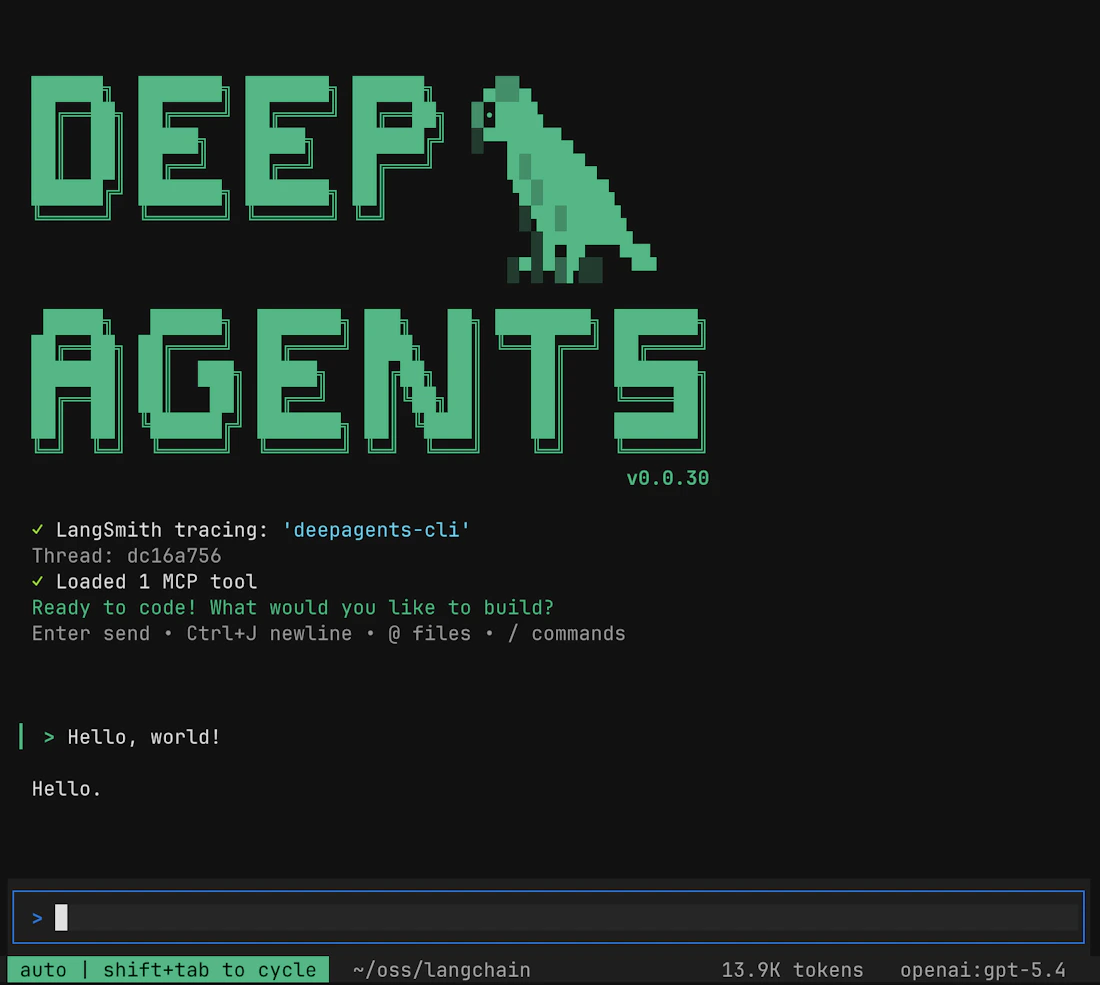
You’re now in an interactive session. Try a few prompts to get a feel for it:
You: explain the structure of this project
You: add type hints to the functions in src/utils.py
You: write a test for the parse_config function
You: refactor the database module to use connection pooling
The agent reads the relevant files, proposes changes as diffs, and asks for approval before applying them.
One-shot commands
For scripted or CI use cases you can pass a task directly:
deep-agents run "generate a CHANGELOG entry for all commits since v1.2.0"
Next steps
Once you’ve run your first session, here are some directions worth exploring:
- Write custom skills for your team’s conventions and commit them to your repository alongside your code
- Integrate with LangSmith for full tracing and observability of what the agent is doing under the hood — useful for debugging unexpected behaviour
- Explore the Deep Agents SDK if you want to build your own specialised agents on the same memory and skill infrastructure
- Try different model backends — swap from GPT-4o to Claude 3.7 Sonnet or a local Mistral model and compare the results for your specific workflows
- Contribute upstream — the project is fully open source; the GitHub repository welcomes bug reports, skill contributions, and feature proposals
Conclusion
The Deep Agents CLI brings the convenience of a terminal coding assistant — persistent memory, project awareness, customizable behaviour — to an open source, provider-agnostic stack. Whether you’re a solo developer who wants an AI pair programmer without a subscription, or a team looking to standardise AI-assisted workflows across environments, it’s a compelling tool to add to your belt.
If you found this post useful, check out the earlier post in this series on the Deep Agents SDK for a deeper look at how the underlying agent architecture works — and keep an eye on the LangChain blog for upcoming features in the CLI.
References: