Copilot - Monitor Agent Usage with OpenTelemetry
OpenTelemetry has become the standard for telemetry over the last few years. With the rise of LLM applications and agentic AI, the need for observability, auditing, and usage tracking is growing just as fast.
In this post, we will learn how to monitor agent activity in Copilot and visualize the emitted telemetry with a local OpenTelemetry backend.
Why monitor agent usage?
When an agent can read files, plan tasks, call tools, and generate code, observability becomes more than a nice-to-have. It helps you answer practical questions such as:
- Which prompts triggered a long or expensive execution?
- How many tool calls were required to finish a task?
- Where did latency come from?
- Which sessions or models generated the most activity?
- How can we keep an audit trail for sensitive environments?
OpenTelemetry gives us a vendor-neutral way to collect traces, metrics, and logs for these workflows.
Run a local observability backend
For a quick demo, we can use the .NET Aspire dashboard locally. It provides a simple UI to inspect traces, metrics, and structured logs without setting up a full observability stack.
docker run --rm -d \
  -p 18888:18888 \
  -p 4317:18889 \
  --name aspire-dashboard \
  mcr.microsoft.com/dotnet/aspire-dashboard:latest
Once the container is running, open the dashboard on http://localhost:18888.
In the current Aspire dashboard image, the web UI listens on container port 18888 and the OTLP/gRPC endpoint listens on container port 18889. Mapping host port 4317 to container port 18889 keeps the standard OTLP/gRPC port on your machine while still targeting Aspire’s internal listener.
At this stage the dashboard is empty, which is expected: we still need to configure Copilot to export telemetry.
Enable OpenTelemetry for Copilot agents
Visual Studio Code can export telemetry for Copilot agent usage through OpenTelemetry. The exact setup evolves over time, so the safest path is to follow the official monitoring guide from the VS Code documentation:
In practice, the workflow is straightforward:
- Enable agent monitoring in VS Code.
- Configure the OTLP exporter endpoint so telemetry is sent to your local backend.
- Start an agent task in Copilot.
- Inspect traces, metrics, and logs from the Aspire dashboard.
VS Code copilot otel config
{
  # Other config ...
  "github.copilot.chat.otel.enabled": true,
  "github.copilot.chat.otel.exporterType": "otlp-grpc",
  "github.copilot.chat.otel.otlpEndpoint": "http://localhost:4317",

  #USE WITH CAUTION - Potentially sensitive content in telemetry
  "github.copilot.chat.otel.captureContent": true
}
Because Aspire is listening on OTLP/gRPC, it is a convenient target for a local demo.
What should you expect to see?
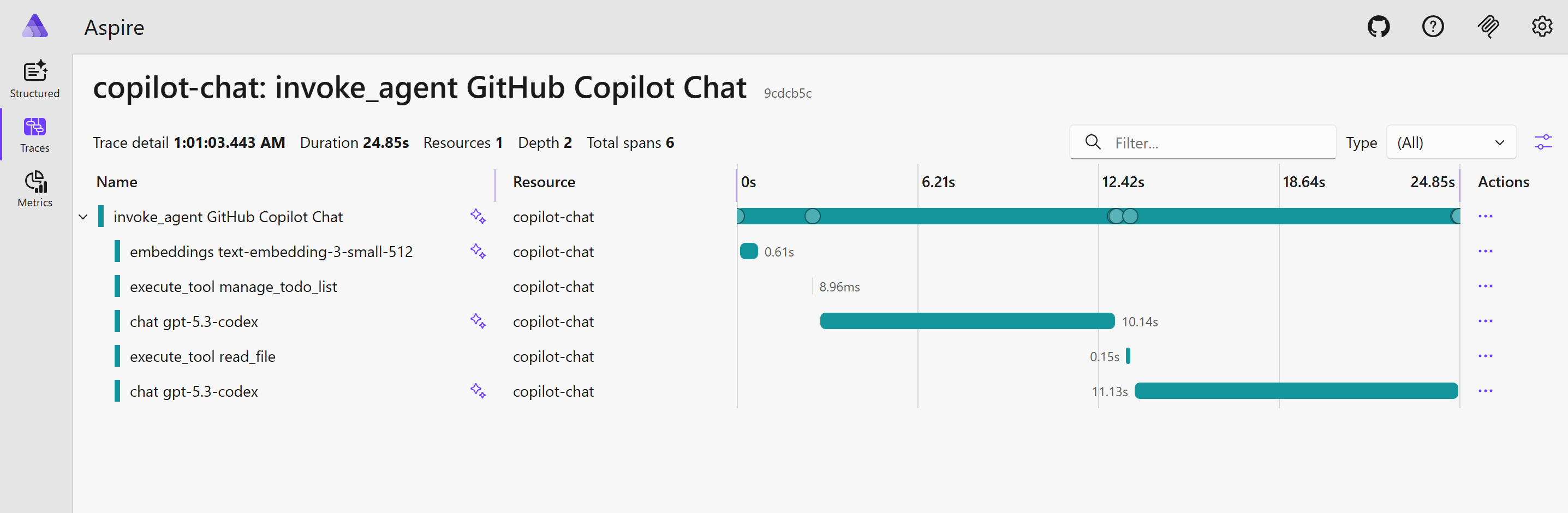
After running a few prompts through Copilot agent mode, the dashboard becomes much more interesting:
- Traces help you follow an end-to-end agent execution.
- Metrics help you understand throughput, latency, and activity volume.
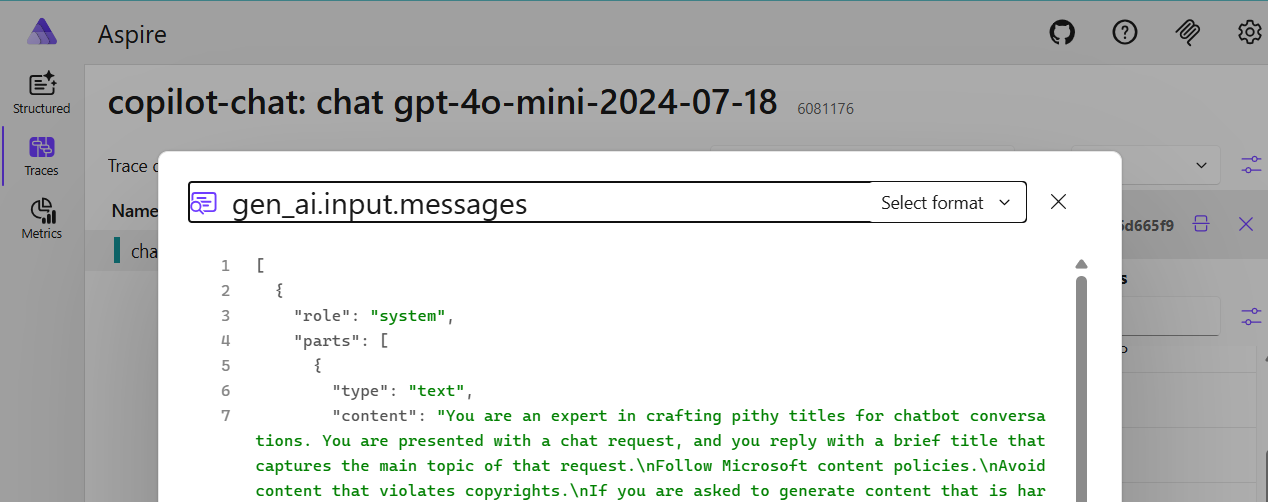
- Structured logs help you correlate prompt execution with emitted events.
This gives you a first level of observability for agent workflows, which is useful both for debugging and for governance.
A good starting point for enterprise observability
This local setup is only the first step. The next logical move is to design an enterprise-grade observability platform based on OpenTelemetry for every running agent.
That could include:
- central trace and metrics collection,
- tenant or workspace level dashboards,
- cost and usage monitoring by model or team,
- long-term audit retention,
- alerting based on suspicious prompt patterns or abnormal execution behavior.
Once telemetry is standardized, it becomes much easier to integrate AI workflows into the same operational model as the rest of the platform.
Conclusion
Monitoring Copilot agents with OpenTelemetry is a simple but powerful way to make agent usage visible. With a lightweight backend such as the Aspire dashboard, you can validate the telemetry locally in just a few minutes and start exploring what production-grade observability for AI agents could look like.